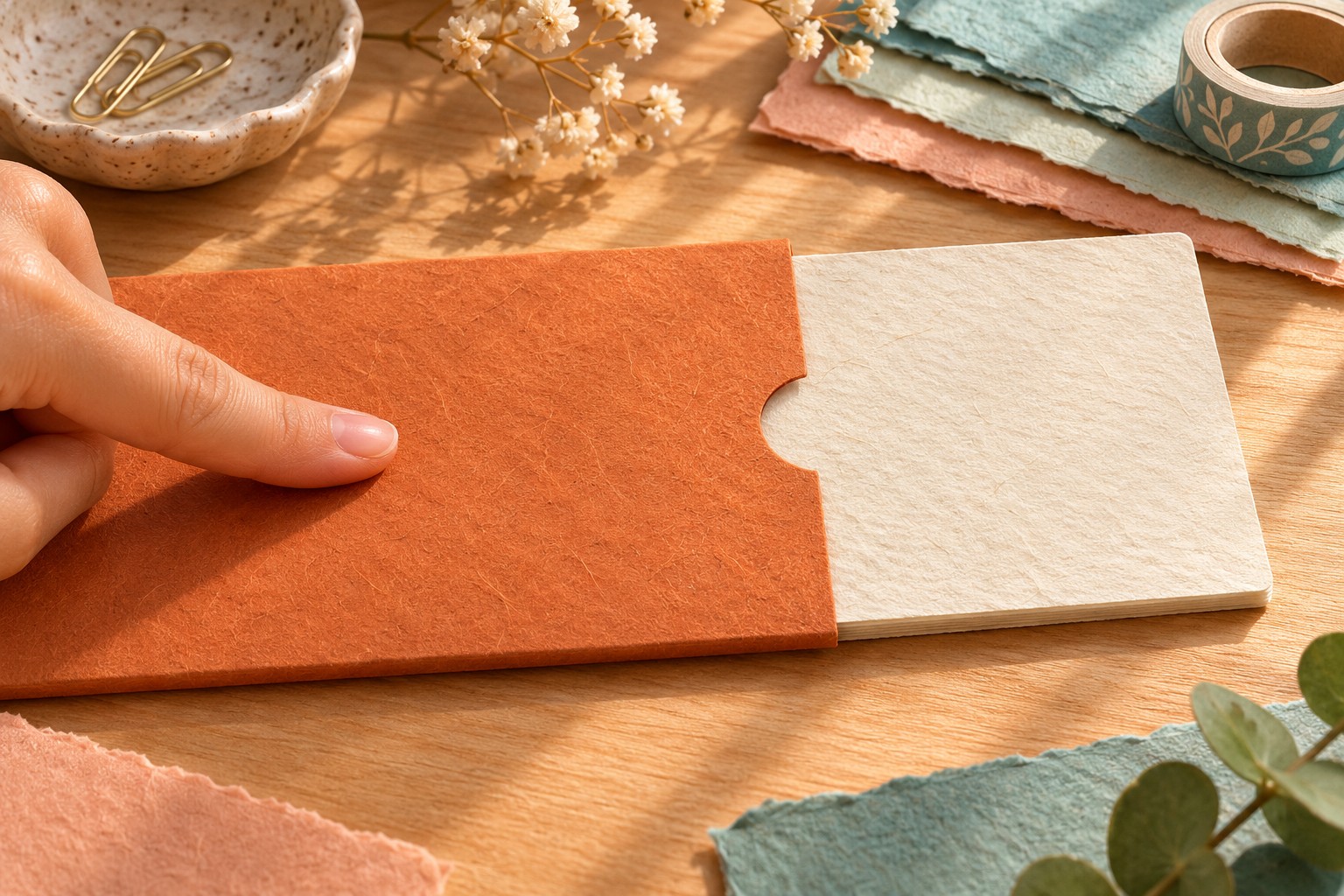

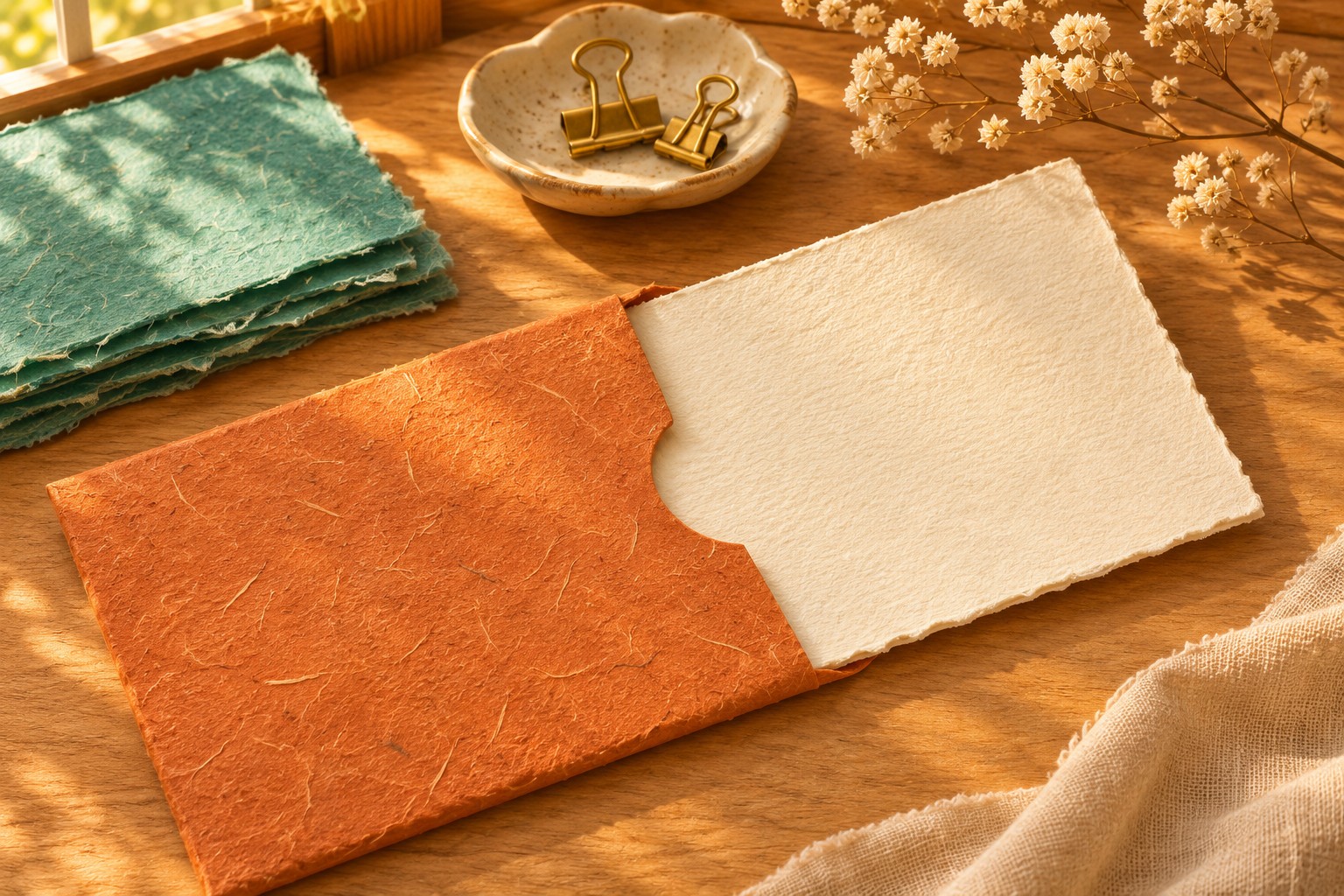
A paper sleeve slides over a thick card. You hear a soft rasp, then one fingertip gives the sleeve a light tap. That is the whole proposed video: a small movement with two sounds worth paying attention to.
You can try making this five-second ASMR-style clip without setting up a camera or recording a desk full of paper. The useful starting point is a precise action you can picture and describe. For this example, the sleeve is terracotta orange, the card is ivory, and the desk is pale wood. You can change those colors while keeping the movement simple.
Give the paper one small job
Imagine the card lying still while the sleeve moves from left to right until only a narrow strip of card remains visible. A fingertip then taps the sleeve once and pauses. Keep that order: slide, tap, rest.
There is no need to add cutting, folding, handwriting, a hand entering with a second object and a camera move. For a first attempt, every extra event is another thing you will have to inspect. One sleeve also gives you a clear question when you review the result: did it actually move over the card, or did the card change shape underneath it?
Choose the atmosphere before opening the generator. A warm desk and softly lit paper suit this quiet idea. Bright confetti, floating particles or dramatic background music would compete with the two sounds you are asking for. This is a creative choice for this shot, not a rule for every ASMR video.
Copy this complete video prompt
Use the following as a single prompt. It describes both the movement and the sound; you do not need an audio recording to accompany it.
Five-second close-up video in a warm handcrafted illustration style. A thick blank ivory card lies flat on a pale wooden desk. A plain terracotta-orange textured paper sleeve already covers the left half of the card, with its open end facing right. One natural-looking hand gently pushes the sleeve to the right over the stationary card, leaving a narrow strip of ivory visible. We hear a soft, dry paper-on-paper rasp during the slide. The index fingertip then taps the sleeve once with a light papery tick, and the hand rests. Fixed camera, soft window light, shallow background detail. Keep the sleeve and card solid and their shapes stable. Quiet background, no speech, no music, no writing, no logos. The audio should follow the visible slide and tap.
The sound instructions are requests for the generated scene. You still need to listen to the result: naming an exact sound or sequence does not guarantee that the model will produce it as described.
Make the first attempt from text
Tool suggestion: Max Maker AI is one option for trying this clearly labelled original creative concept.
For someone looking for a free minimax h3 video generator no signup required, the linked Max Maker AI page describes five-second videos with AI audio, labels the service "Unlimited" and "Powered by MiniMax H3," and explains that requests run one at a time with a queue. Its text-only route leaves both image fields empty; the alternative guided route uses both a start frame and an end frame. This example uses the text-only route.
- Open the free MiniMax H3 page and leave Start Frame and End Frame empty.
- Paste the complete prompt. Choose 16:9 for a wide desk view; choose 9:16 if your intended post is vertical, keeping the sleeve and card inside that narrower composition.
- Select Generate and complete verification if prompted. Follow the queue status while that request processes.
- Preview the completed clip with its audio. Review it once for the movement and again for the sound.
- Download the version you want to keep. The page says completed clips are available in the current browser, so download a keeper rather than relying on returning to a different browser later.
You can keep a short note with your prompt, the selected ratio and what you want to change next. "Tap happens before the slide ends" is more useful than "the sound feels wrong." It points to one instruction you can simplify.
If the first result feels too busy
Choose the revision that fits what you see or hear in your preview. The first simplifies the movement. The second narrows the sound request.
If the movement is confused, copy this entire prompt in place of the first one.
Five-second close-up video in a warm handcrafted illustration style. A thick blank ivory card lies flat on a pale wooden desk. A plain terracotta-orange textured paper sleeve covers the left half of the card, with its open end facing right. One natural-looking hand gently pushes the sleeve a short distance to the right over the stationary card, leaving a narrow strip of ivory visible. The sleeve and hand then come to rest. Keep the sleeve and card solid and their shapes stable. Fixed camera, soft window light, simple background. A soft, dry paper-on-paper rasp accompanies the slide. When the sleeve stops, the rasp ends and the scene stays quiet. No tapping, speech, music, writing or logos.
This version asks for just one event. Listen for the paper rasp and inspect whether the sleeve's opening remains recognizable.
If the sounds compete, keep the original slide-and-tap movement but replace the audio instructions with:
Only a soft paper-on-paper rasp accompanies the slide. After the sleeve stops, there is one quiet papery tap. Otherwise the scene is quiet, with no music, speech or added dramatic effects.
Try one revision at a time. Changing the materials, camera, movement and sound together would make it harder to tell which new instruction helped. Save the prompts you use alongside the downloaded versions, with a brief note about the actual result.
Listen once more before sharing
Watch the point where the sleeve meets the card. Look for paper that merges, a card that bends unexpectedly, or fingers that stop touching the object while it continues to move. Then listen for sudden noises, unwanted speech or a tap arriving at an unrelated moment.
For a post, you could pair a satisfactory clip with this short caption:
Paper slide, tiny tap. An AI-created five-second stationery scene, made from a text prompt.
The finished piece can be modest. You chose the material, the action, the color and the small sound you wanted to hear, then checked what the generator actually returned. That is enough for a first audiovisual experiment you can adapt into your own style.