
A clip is not a complete instruction for the next person. They may like its mood but miss the feature you wanted to show, or assume that a synthetic shape is an approved product design. A short written brief keeps those decisions visible.
Before using a free AI video generator with no signup required, decide what the draft needs to communicate to a photographer, editor or teammate. The useful handoff contains both a visual idea and the facts that the next production stage must preserve.
The example in this guide is a fictional, unbranded two-compartment desk caddy. All scenes and diagrams are planning materials, not product photography, working demonstrations or results from a generated video. No generation was performed for this article.
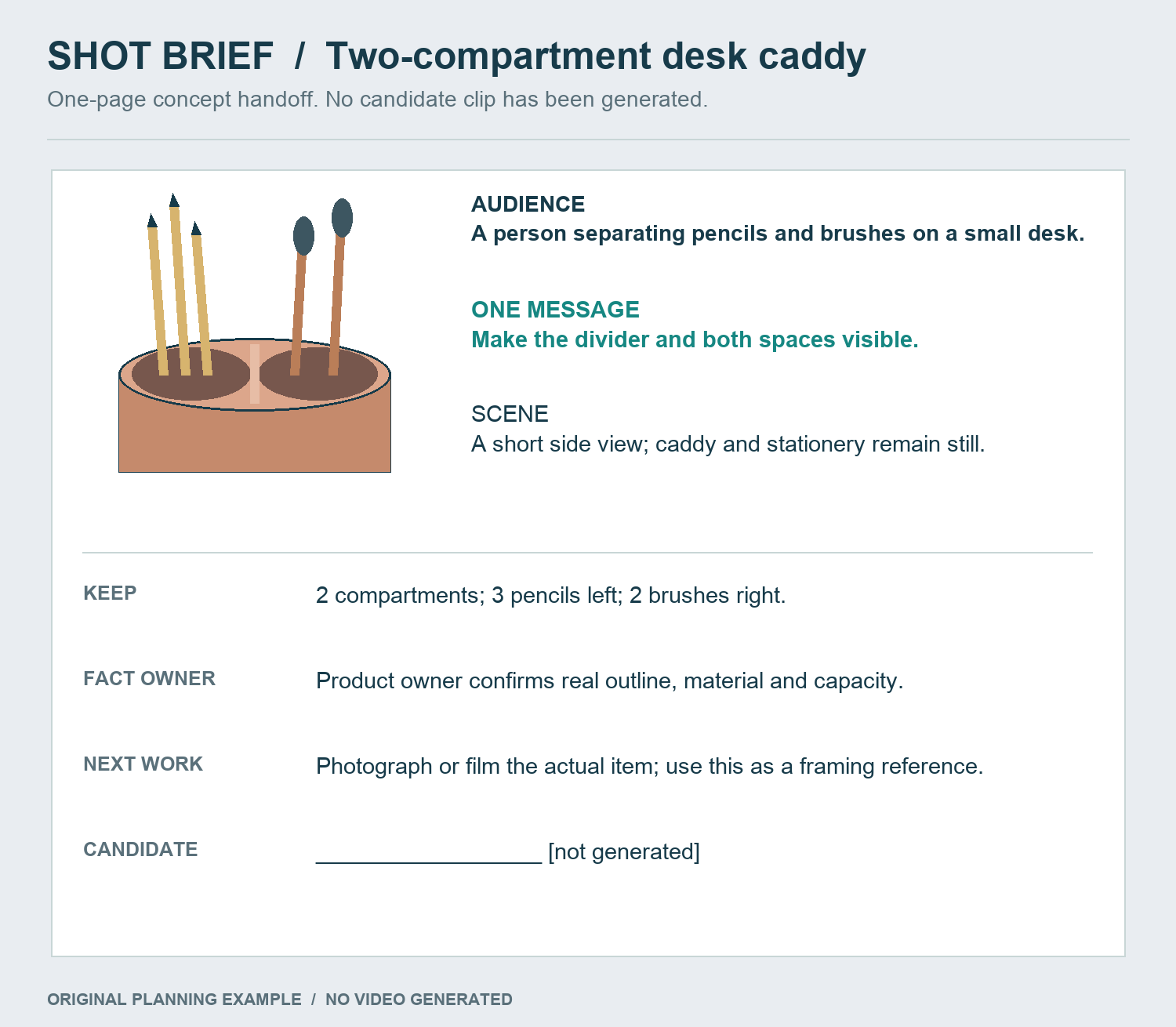
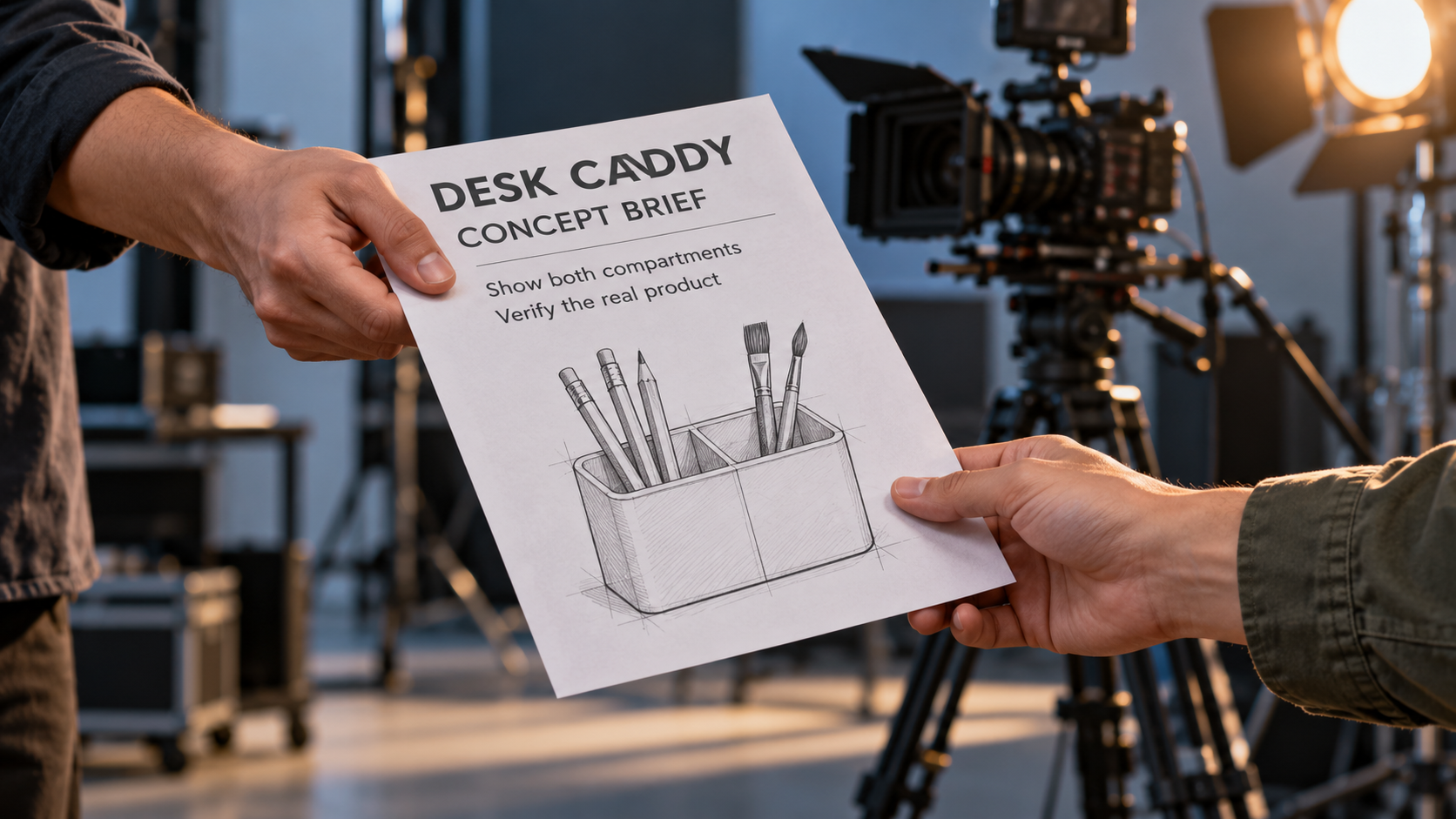
Attach visual direction and factual checks to the actual caddy concept; the camera-path arrow describes a plan, not a generated result.
Put one message above the visual idea
For the fictional caddy, the audience is someone trying to separate pencils from brushes on a small desk. The message is: "The divider makes two distinct spaces visible." That is narrower and easier to inspect than "make the desk feel organized."
The scene idea follows from the message: the caddy rests on a plain desk, with pencils in one compartment and brushes in the other. A modest change of view reveals the divider. There is no need to add hands sorting an entire desk, animated text or a sequence of before-and-after rooms.
Write the brief before the prompt:
Audience: a person looking for a compact way to separate stationery.

One message: show two visibly distinct compartments.

Scene: an unbranded caddy on a plain desk, pencils on one side,

       brushes on the other; one view reveals the divider.

Keep: two compartments, the approved outline and the real item count.

Review: can the next viewer point to the divider and both spaces?

Next stage: photograph or film the actual item and verify its details.
Because this is an invented example, its outline is a proposed concept. For a real product, replace "approved outline" with actual, permissioned reference material and ask the person responsible for the product to verify it. Do not let a plausible generated shape become the specification by accident.
Separate visual direction from product facts
A brief has two different kinds of instruction. "Soft side light" and "quiet desk setting" describe the treatment. Compartment count, dimensions, materials, logos and working features describe the product.
Keep those in separate lines so the reviewer knows what can be explored and what must be checked against real evidence.
| Direction for the draft | Information to verify from the real product |
|---|---|
| A plain background keeps attention on the caddy. | The actual shape and compartment count. |
| A gentle reveal makes the divider easier to notice. | Whether the view accurately shows the divider. |
| Warm side light creates a calm setting. | Actual color, material and finish. |
| A few stationery items explain scale informally. | Dimensions, capacity and any fit claims. |
A short synthetic clip can communicate an intention. It does not verify that a caddy fits a particular desk, holds a particular quantity or has the surface finish shown. Carry those questions into the real production stage rather than answering them with the concept's appearance.
The fictional brief has one message: make the divider and both spaces visible. Counts and outlines are review targets.
Translate the brief into one candidate shot
A starting text prompt for this concept is:
An unbranded two-compartment desk caddy sits on a plain ivory desk. Three plain pencils are in the left space and two brushes in the right. A gentle short sideways camera move reveals the central divider while the caddy and stationery remain still. Keep the same two-compartment outline throughout. One continuous shot, soft side light, no scene change.
The prompt serves the brief's one message. It is not a reason to trust every object count or geometric detail in a later preview. Those details are review targets precisely because a concept can look convincing while changing what matters.
If a fixed view already shows the divider clearly, use it instead of adding movement for its own sake. If the divider is the main information, a shorter or simpler view may communicate more than an attractive camera journey that hides it.
For an image route, prepare both a start image and an end image that show the same approved arrangement. The current free form needs the pair in order. Do not pair two different product versions merely because their colors match.
Give the next person a reason for your selection
After an actual preview exists, describe why you selected it. Use visible observations: "Both compartments remain visible at the end" is more useful than "the best version." Include a problem if it remains relevant, such as a pencil changing shape or the divider disappearing during the move.
An editor can work with a reference that has a known weakness. They cannot safely act on a file presented as final when you intended only its mood. Use a clear file role: concept reference, timing reference or approved real footage, whichever is true. A generated draft will not become approved real footage through a different filename.
The handoff should let another person answer three questions without reopening the generation page: What is the shot meant to say? Which parts are trusted facts? What work is still needed?
Give the next maker this concrete concept brief. The candidate field is empty, and real product details still require the product owner's confirmation.
Send a brief and a candidate, not a mystery file
The AI VideoWeb free AI video generator can supply the short candidate after this brief is defined. As documented on 22 October 2026, its general free page offers no-signup text or two-frame input and unlimited total attempts. The displayed form specifies five seconds and 480p; verification and queue waiting can still apply.
Save the actual selected file, its exact prompt, any endpoint images and the one-page brief. Add a sentence describing the production method and the unresolved real-world checks. Unlimited attempts do not make the number of previews a meaningful result; the useful outcome is whether a candidate communicates the intended message well enough for the next person to act.
For the fictional caddy, the final instruction to a photographer might be: "Use this only as a framing and divider-reveal reference. Confirm the actual outline, color and capacity from the real sample before shooting." That is an actionable handoff. It preserves the idea while keeping product evidence with the people and materials that can establish it.
Disclosure: This article is provided by the AI VideoWeb team at FLAQ TECH PTE. LTD.