
Someone helped you carry boxes, read a difficult draft or get through a busy afternoon. You want to send something warmer than a quick thumbs-up, without pretending you have arranged a flower delivery.
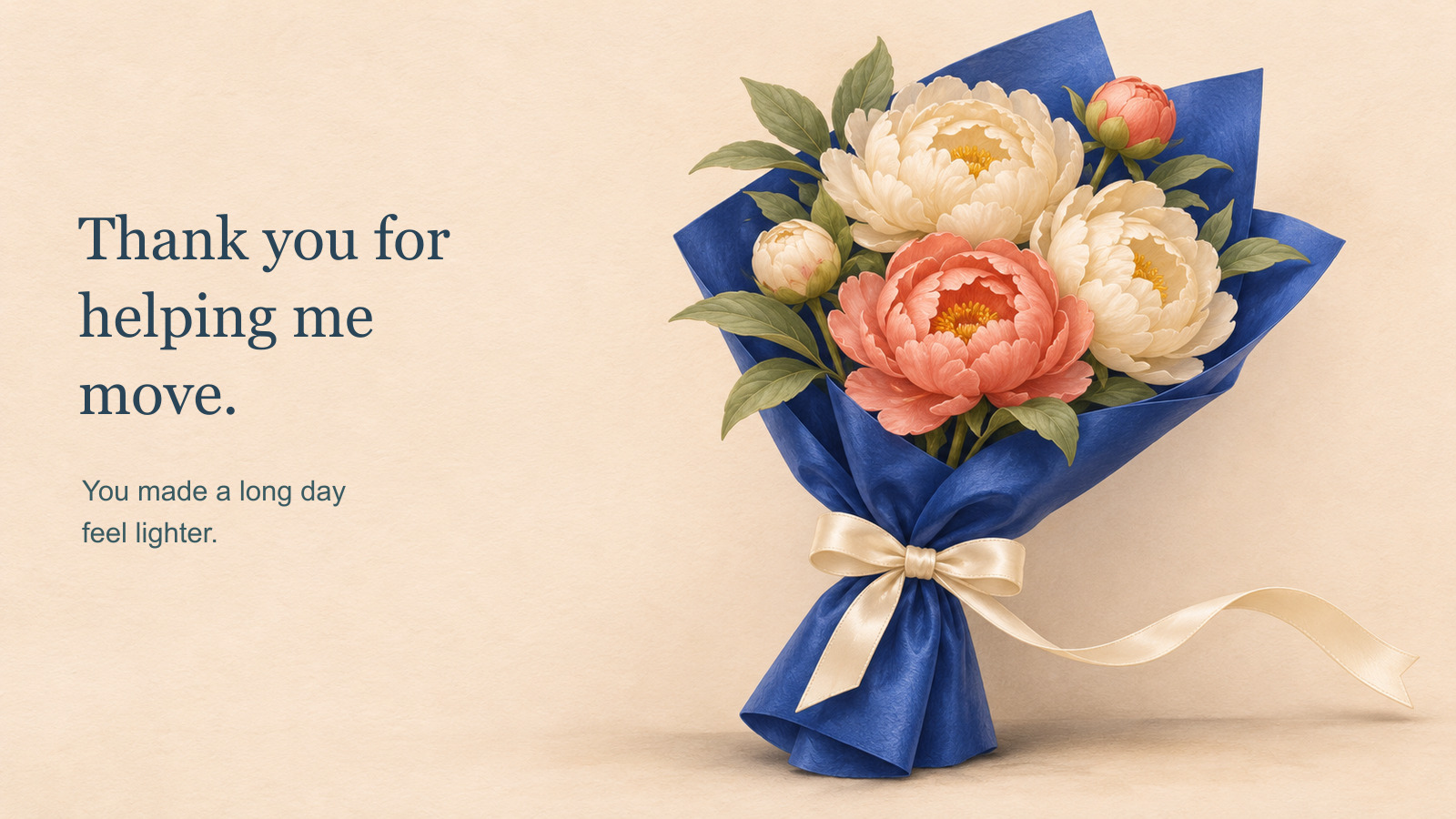
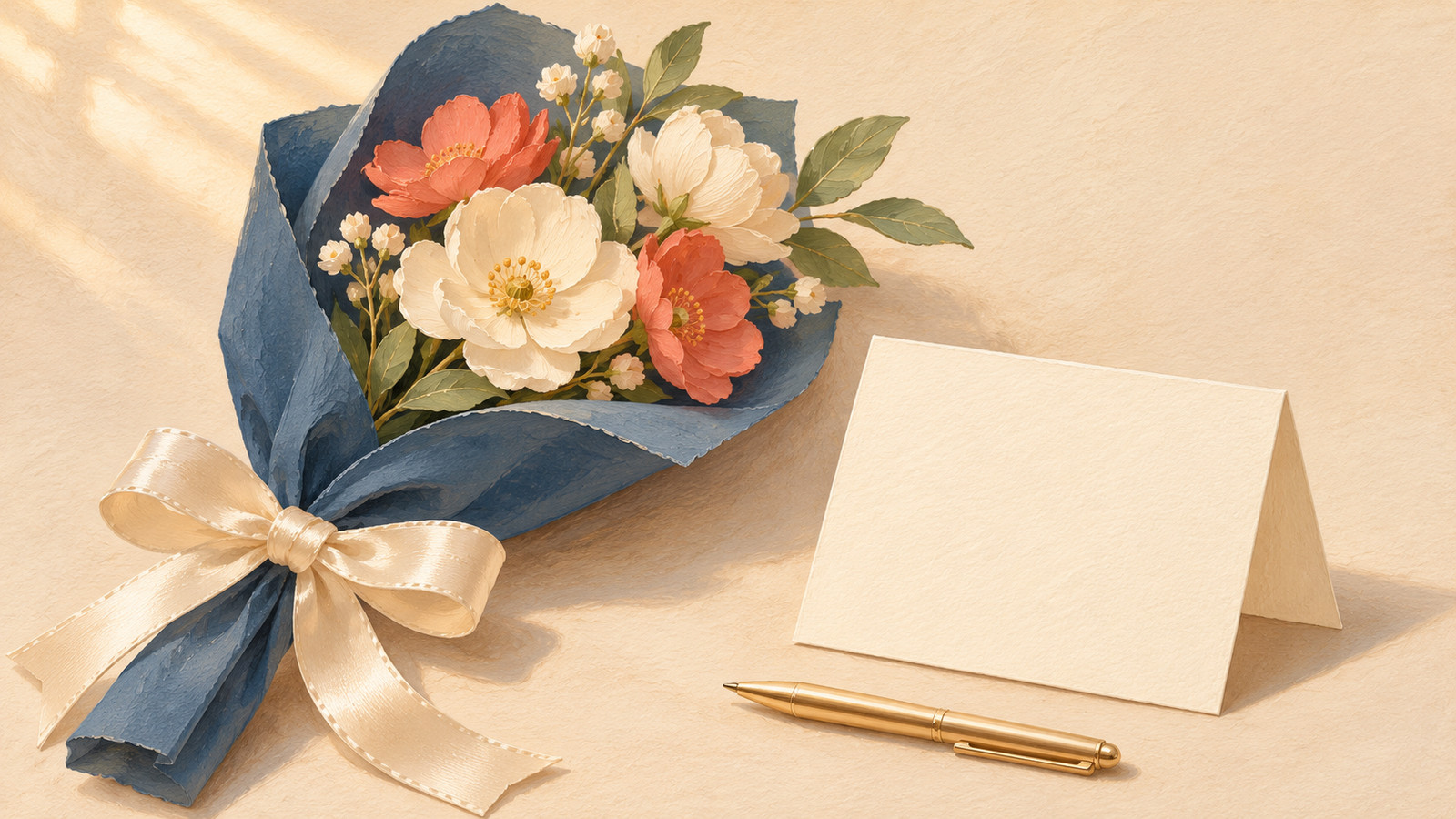
A small illustrated thank-you card can do that. This free image-to-video guide uses a cream-and-coral bouquet in blue wrapping, with just one loose ribbon end moving. The personal part is the message you add afterwards, in ordinary editable text.
Choose the help you want to acknowledge
Make the note specific enough that it belongs to the person you are thanking. If the occasion really was help with moving, you could use:
Thank you for helping me move. You made a long day feel lighter.
For a reader who commented on your writing, replace it with:
Thank you for reading my draft. Your careful notes helped me find the next step.
Describe what actually happened, and keep the message short enough to read at the size it will be received.
Prepare two complete bouquet images
Use original or permitted artwork. Keep the flowers, wrapping, camera and light consistent. Pick one loose ribbon end with a clear attachment to the bow.
The opening image shows the resting ribbon. The intended ending shows its free tip a little farther to one side. Do not request flowers opening, a second bouquet appearing and the wrapping unfolding in the same short gesture.
For this example, a referenced generative edit supplied a new ribbon-end shape. An external local mask combines that region with the original scene, keeping the rest of the artwork from the source. This is prepared illustration work, not a physical ribbon simulation or a motion-selection feature inside HeyDream.
Export both as complete images with the same dimensions and ratio. A close view can help inspect the ribbon edge, but the generator needs the full starting and ending scenes. Check that no petals or wrapping edges changed while preparing the local edit.
Copy a motion prompt with a small job
Here is a complete prompt for a pair you prepare this way:
Fixed camera. Keep the same cream-and-coral bouquet, sage leaves and blue paper wrapping in place. Gently move only the long loose cream satin ribbon end on the right towards its position in the supplied ending image. Keep the bow tied and the ribbon continuously attached to it. Preserve the flowers, petal shapes, wrapping folds, background, lighting and scale. One small ribbon movement only. No opening flowers, growing buds, extra gifts, falling petals, hands, camera movement, lettering, names or added text.
Adapt the colour and side references to your artwork. Avoid "a breeze moves through the bouquet" when only the ribbon should shift; it invites leaf and petal movement too.
The prompt states an intention. It does not enforce a protected region or guarantee that a video will keep every flower unchanged.
Generate, then download a candidate
The HeyDream free image-to-video tool is one option for attempting the transition after the artwork is ready.
- Put the complete opening image into Start Frame and the complete planned ending into End Frame. Both images are required as separate complete files.
- Choose 16:9 for this wide card artwork. The page also lists 9:16 and 1:1; prepare both inputs for the shape you choose.
- Paste the prompt, check the ribbon's side and colour against the pictures, then select Generate. Complete any verification displayed.
- Follow the status. The site describes a queue, preview of completed results with audio, and downloading. If a result finishes, watch it before deciding to use it.
These are vendor-described functions, not a test result for this bouquet. Current free positioning is not a promise of permanent unlimited access or perfect preservation.
Watch the ribbon attachment and the flower arrangement during the clip, not only at its endpoints. A floating strip or a new flower changes this modest idea. If no candidate keeps the bouquet coherent, use the still card instead.
Add the exact thank-you outside the generator
Download a candidate you actually want to keep. In a separate layout or video editor, put it beside a quiet text area, then type your chosen message as editable text. Keep the wording outside the generated artwork so a name or line break is easy to correct.
For a simple layout, place the bouquet on the right and the two-line thank-you on the left. Keep a clear margin between them. This describes an arrangement you can build externally, not a completed video or an actual sent message.
Check the assembled card on a phone-sized preview. Does the whole sentence fit? Is the message still visible while the decoration moves? Give someone time to read it rather than flashing it briefly over the flowers. Exact text placement, display time and later edits belong to your external editor.
Listen to the audio separately. If it adds an unsuitable voice, sound effect or mood, remove or replace it externally. A silent card can be complete.
Open the saved file before you share it
Save or export the assembled card in a format supported by the channel you intend to use. Then open that actual saved file, rather than relying only on the editing preview. Play it through and check the first and last moments, the message, the ribbon and any sound.
Make sure you are sending the finished card rather than an earlier draft. Choose the intended person and send it yourself through your normal channel. This guide does not send messages or access anyone's contacts.
You could accompany it with "I made you this little illustrated thank-you." Explain its origin honestly as AI-assisted artwork, without implying that flowers were delivered. The words acknowledge the real help you chose to name. The moving ribbon is the extra decoration.